Grok Memory Extension: The Setting Is On and It Still Forgot
Grok has a memory setting. It is called Personalize Grok with your conversation history, it sits in Data Controls, and the description is unambiguous: allow Grok to remember details from your previous conversations.
On our account it was already switched on.
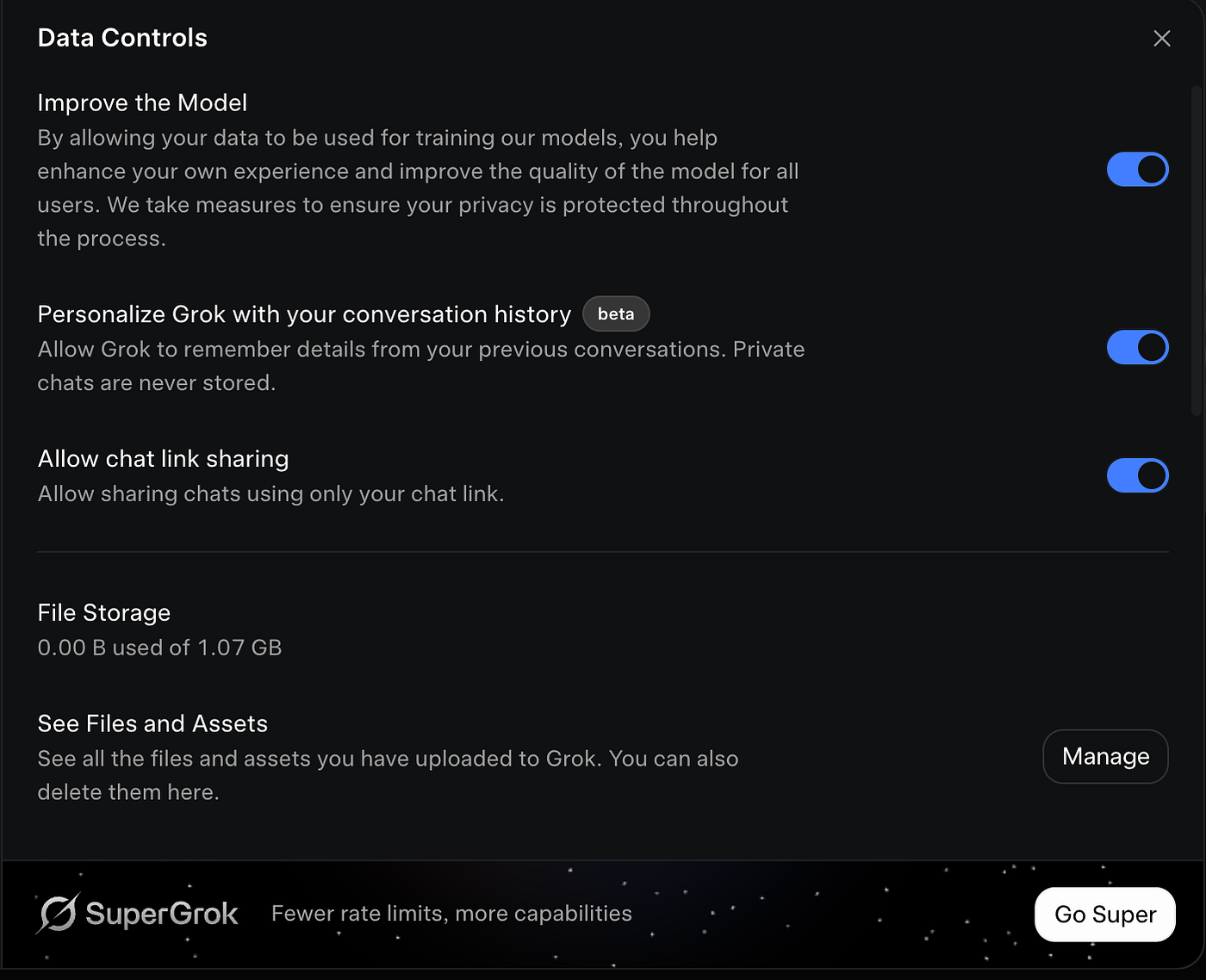
Grok's Data Controls. The memory setting is on by default, directly below the training toggle. Tested 27 August 2026, free account.
We build Unibase Memory, a Chrome extension that syncs your chats across ChatGPT, Claude, Gemini, Grok, Kimi and DeepSeek into one searchable memory and sends the right piece back into whichever assistant you are in. Which is why, when a platform ships a memory setting of its own, we test it rather than guess. Here is what Grok's setting did.
The test
In a new chat we sent one line.
Remember this: my project codename is Orchid Harbor.
Grok replied: Got it, project codename Orchid Harbor is noted.
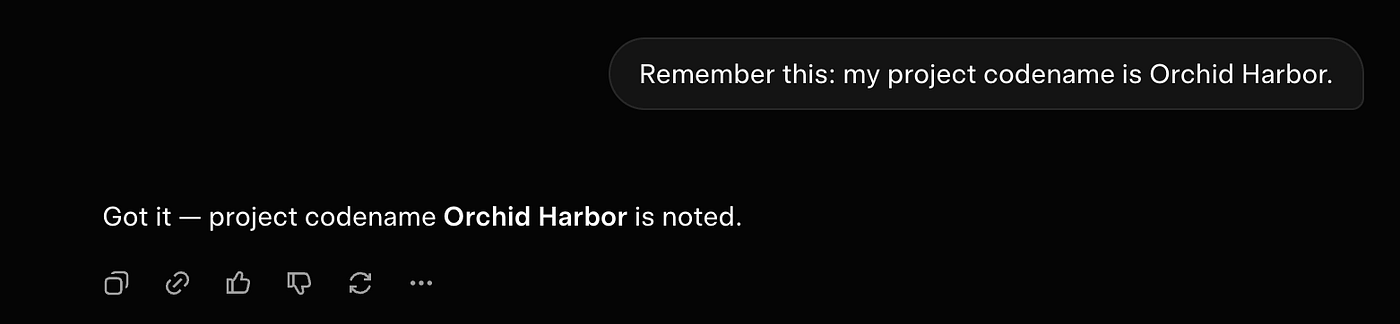
Grok confirms it has noted the codename. Tested 27 August 2026, free account.
We opened a fresh chat and asked what the project codename was. Grok spent seventeen seconds working on it and came back with this.
I don't have any information about a project codename associated with you or this environment. The workspace is empty, and nothing in the system configuration, environment variables, or available files indicates a project codename.
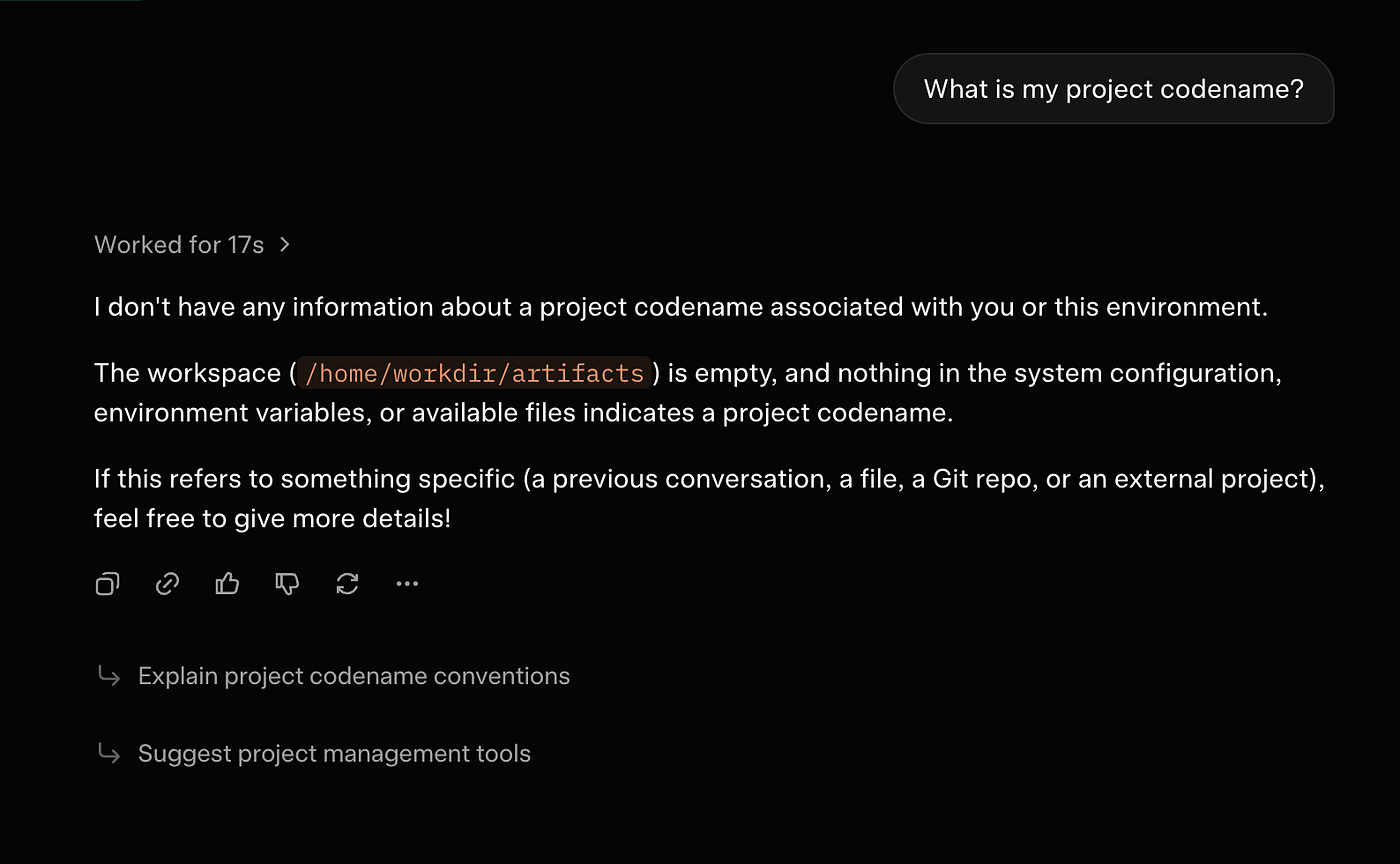
A new chat, minutes later. Seventeen seconds of work, and nothing. Tested 27 August 2026, free account.
Tested on 27 August 2026, on a free account, with the setting on. The feature is labelled beta.
Two things stand out. Grok said it had noted the codename, and it had not. And when asked, it went looking through a workspace and environment variables rather than through anything resembling a memory.
What is probably going on
We are not going to tell you Grok's memory is broken based on one test. There are three explanations that fit, and the third is the interesting one.
It is beta, and beta features roll out unevenly. Ours may simply not have been switched on at the backend yet.
It may be gated by plan. We tested on a free account, not SuperGrok.
Or, most likely, it is working exactly as designed and the design is not what the wording suggests. Read the description again: remember details from your previous conversations. Systems like this do not store what you say. They watch your conversations over time and extract the details they judge worth keeping, usually stable facts about who you are and how you like to work. A codename dropped into an empty chat, once, with no context around it, is not a detail worth keeping by that standard.
Which means the setting was probably never going to catch it, and the reply saying it was noted was the model being agreeable rather than accurate.
Why this matters more than one missing codename
The gap here is not between working and broken. It is between what remember means to you and what it means to the product.
You mean: hold on to this specific thing, I will need it later.
It means: build a general picture of this person over time.
Those are different products, and every assistant with a memory feature has the second one. ChatGPT, Claude, Gemini and Grok all extract selectively. None of them are a place to put something and know it will be there.
The practical consequence is the part that costs you. You are told something has been remembered, so you do not save it anywhere else. Weeks later you need it and it is gone, along with the chat it was in, because you had no reason to keep track of a conversation whose contents you believed were safely stored.
That is the failure Unibase Memory was built around. Not the forgetting, which is normal and always will be, but the believing.
What to check on your own account
If you want to know what Grok actually retained, do not ask it to remember something. Ask it what it already knows.
Open a new chat and ask what it knows about you or your work. Whatever comes back is the real state of the memory, and it is usually shorter and vaguer than expected. Then decide whether the things missing from that list are things you can afford to lose.
The setting itself is worth reviewing either way. It lives under Data Controls, next to the toggle that lets your conversations be used for training. Both were on by default on our account.
The thing that closes the gap
This is where an extension does something the setting cannot. Not because it is smarter, but because it does not choose.
Unibase Memory saves your conversations as they happen, across ChatGPT, Claude, Gemini, Grok, Kimi and DeepSeek. It does not decide which details are worth keeping, so the codename you mentioned once in March is still searchable in September. When you need it, you search for it and send it into whichever assistant you are in, which matters because Grok's memory would never have reached Claude anyway. That second half, carrying context between assistants, is the part no platform has a reason to build.
Everything stays in your browser. Sync is optional, and anything you sync is encrypted on your device first using Fernet, which is AES-128-CBC with HMAC-SHA256. Export it all as a file whenever you want.
It will not make Grok remember. Nothing outside xAI can. What it does is make sure that when Grok forgets, you still have the thing.