AI Memory Chrome Extension: Stop Repeating Yourself Across ChatGPT, Claude, and Gemini
Your AI does not need another prompt hack.
It needs a memory pill. 🧠
Today, you are still the API between your AIs. Claude helps you research, ChatGPT helps you write, Gemini helps you explore, but the context does not move with the work. So you copy, paste, summarize, and explain again. The workflow looks automated. The memory is still manual.
Unibase Memory changes that. It turns AI chats and valuable web content into reusable memory you can capture, organize, search, and send into the next session across ChatGPT, Claude, and Gemini. With optional sync to Membase, your memory can move beyond local storage into Unibase's decentralized memory infrastructure while remaining encrypted and readable only by you.
🟦 Chrome Link: chromewebstore.google.com/detail/unibase-memory
🟦 Website: www.unibase.com/memory
🟦 Docs: docs.unibase.com/unibase-memory
1. What is Unibase?
Unibase is a high-performance decentralized AI memory layer built for memory you can encrypt, own, and verify.
Unlike memory features tied to a single AI product, Unibase is designed as shared infrastructure for long-term memory, interoperability, and verifiable context across AI workflows.
Behind Unibase Memory is a decentralized memory stack built with Membase, Unibase decentralized storage, and Unibase DA:
- Membase stores and manages AI memory.
- Unibase decentralized storage keeps memory persistent beyond one browser or device.
- Unibase DA provides scalable and verifiable data availability for AI memory.
Together, they make AI memory portable, recoverable, and verifiable. Conversation content remains encrypted and readable only by you, while synced backups are managed through Unibase's decentralized memory infrastructure.
2. From Chat History to Living Memory
AI conversations are becoming the new workspace. We use them to research, write, plan, build, reflect, and make decisions. But today, most of that work still ends as chat history: scattered across tools, buried in old sessions, and hard to bring into the next task.
Unibase Memory Chrome Extension turns scattered AI conversations and valuable web content into reusable memory that follows you across ChatGPT, Claude, and Gemini.
Not another chat history.
Memory you can capture, organize, search, send, and optionally sync to Membase.
With Unibase Memory, you can:
- Capture AI conversations and valuable web content into reusable memory.
- Organize everything in one searchable memory workspace with stars, tags, and filters.
- Send selected memory directly into your current AI chat without copying context by hand.
- Sync to Membase optionally so your encrypted memory becomes portable, recoverable, and verifiable across the Unibase ecosystem.
3. Core Features: How Unibase Memory Works
3.1 Capture: Turn your AI chat history and valuable web content into reusable memory
- Install Unibase Memory by clicking "Add to Chrome".
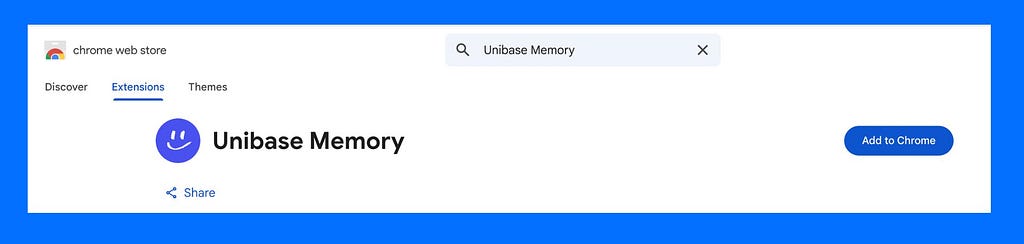
- Sign in with email, X, or your wallet.
 1. Sign in with Email, X, or Wallet | Unibase Memory Chrome Extension TutorialUnibaseWatch onYouTube
-
Open or refresh your AI chat to load the chats you want to capture.
-
Click Import to Memory to grab a batch by time: current chat, last 24 hours, last 7 days, or last 14 days.
 2. Sync AI Chat Memory from ChatGPT, Claude & Gemini | Unibase Memory Chrome Extension TutorialUnibaseWatch onYouTube
- Right-click to save valuable web content into Unibase Memory, whether it's a full page or a selected section, and reuse it anytime.

3.2 Manage and Reuse: Work with memory at the right level
A. Workspace level: find, filter, and manage your memory system
Use the workspace when you want to search across everything, filter memories, or manage your tag system.
- Search across all memories by keyword to find what you need directly.
 4. Search AI Memory Across All Chats | Unibase Memory Chrome Extension TutorialUnibaseWatch onYouTube
- Select multiple chat memories when you want to use them together.
- Star saves selected chats for quick access.
- Send inserts selected chats directly into your current AI chat input box, ready to edit, submit, or continue.
 5. Star or Send Multiple AI Chats at Once | Unibase Memory Chrome Extension TutorialUnibaseWatch onYouTube
- Filter by ChatGPT, Claude, Gemini or specific tags, so the right memory is not buried.

- Manage Tags to create, edit, or remove tag categories.
- Add your own
- Remove defaults or reset to bring them all back
- You can also turn on AI Suggestions here after a one-time local model download.
 6. Manage Tag Categories & AI Suggestions | Unibase Memory Chrome Extension TutorialUnibaseWatch onYouTube
B. Chat level: manage one specific AI chat memory
Open a specific chat memory when you want to manage the full conversation.
- Star the memory for quick access.

- Copy to Clipboard when you want to take it into another app, doc, or workflow.

- Send the full memory into your current AI chat input box.
 9. Send Full AI Chat to Your Input Box | Unibase Memory Chrome Extension TutorialUnibaseWatch onYouTube
- Select only the messages that matter in this chat and then Star or Send them together.
 10. Select & Send Specific Messages in an AI Chat | Unibase Memory Chrome Extension TutorialUnibaseWatch onYouTube
- Delete chat if you want. Deleted memories are kept in the Trash menu — to recover one, open it and click Restore Memory in the top-right corner.
 11. Delete & Restore AI Chat Memory | Unibase Memory Chrome Extension TutorialUnibaseWatch onYouTube
- Organize with tags by
- adding default tags directly
- creating your own tags with the "+" button
- using Suggest to get AI tag suggestions for the current conversation

3.3 Sync to Membase: Your memory, portable and verifiable
- Show Hub Addresses. Turn it on to see more details for each synced
memory:
- View the on-chain record and sync details for each memory.
- Jump back to the original message directly from the memory panel.
 13. Show Hub Addresses to View On-Chain AI Memory Details | Unibase Memory Chrome Extension TutorialUnibaseWatch onYouTube
- Open Unibase Explorer to view your full memory record: On-chain and verifiable. Public proof. Private content.
 14. View AI Memory on Unibase Explorer | Unibase Memory Chrome Extension TutorialUnibaseWatch onYouTube
4. Looking Forward
Today, Unibase Memory Chrome Extension starts with a simple pain: your AI context is scattered, and you are still carrying it by hand.
But this is only the beginning. As AI workflows become more agentic, memory will need to move across tools, assistants, and agents without breaking at every handoff.
Unibase Memory is the first step toward that future: encrypted memory you can capture, own, reuse, and verify.
Welcome to Unibase Memory. 🧠